Perfectly centered images. Every time.
Outer trims the empty space from your images, re-centers the subject — by its edges or by its visual weight — and adds consistent padding. Remove backgrounds cleanly, split sprite sheets, rebuild them as animations. Built for batches of thousands, entirely on your Mac.
See it in action
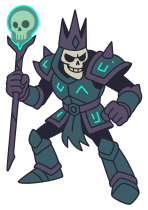
Outer finds the edges, trims the empty space, and re-centers the subject.
Auto-center subjects
Trim the padding, add it back evenly, and your subject lands dead-center — every time, across every image.
Optical centering
Center by pixel edges, or by Mass or Contrast — where the eye actually lands. A sword tip or a long tail no longer drags a character off-center. Balance slider, manual sliders, arrow keys.
Clean background removal
Key by color, by object size, or lift a photo's subject with macOS's on-device detection. Edges are matted, not hard-cut — no halo around outlines, pencil strokes stay soft. Click gaps away, brush off leftovers.
Multi Mode for sprite sheets
Every shape on a sheet becomes its own trimmed file — PNG, JPEG or vector SVG sheets alike. Sparks and drips attach to their subject instead of becoming files of their own.
Rebuild, animate, ship
Lay the frames back out in equal cells, step through them with onion skinning, zoom in and nudge any frame (vector sources stay crisp at any zoom) — then export the sheet with a JSON atlas, or the animation as GIF, APNG, MP4 or Lottie.
Built for big batches
Drop a folder of a thousand images. Outer processes them in parallel on every core with disk-backed caching — 2,400 files in about ten seconds.
Resize and crop
Scale to a target size or crop to a fixed aspect ratio in the same pass. Fixed dimensions fit the subject — never stretch it.
PNG, JPEG, TIFF, HEIC, AVIF, SVG
Reads PNG, JPEG, TIFF, HEIC, WebP and SVG; writes PNG, JPEG, TIFF, HEIC and AVIF. SVGs stay vector — trimmed, padded and split by viewBox, never rasterized.
Runs on your Mac
Native SwiftUI app. No uploads, no cloud, no AI fees — your images never leave your machine. Try every feature on the 38 bundled sample images.
Built for every batch
Anywhere you've got a folder of images that need to line up.

Cream of the Crop.
Whether you're preparing game assets, product shots for your store, a sheet of stickers, or tidying up a folder of screenshots, Outer handles the tedious part. Set it up once, save it as a preset, and let it run.
Coming soon to the Mac App Store
Outer is launching soon. Check back for updates.